See your next paycheck before payday
Hourra is a work hours tracker for hourly workers. Clock in and out with one tap, and Hourra turns your time card into an estimate of your pay: regular hours, overtime, breaks and the countdown to payday.

Free for one job, with no time limit. No account and no ads.
What Hourra does
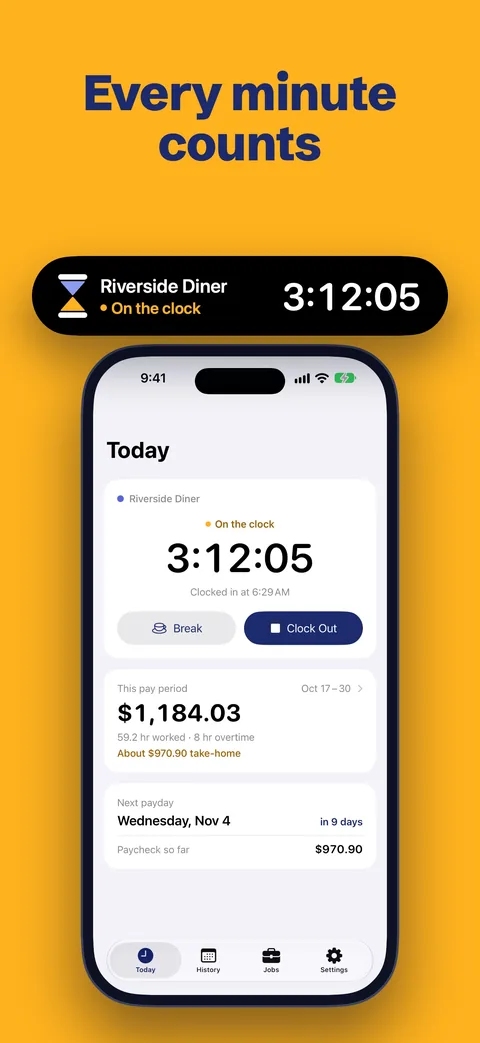
- Clock in with one tap. Start and stop shifts from the Today screen. Breaks pause the timer. A Live Activity on the Lock Screen shows the timer, never your pay.
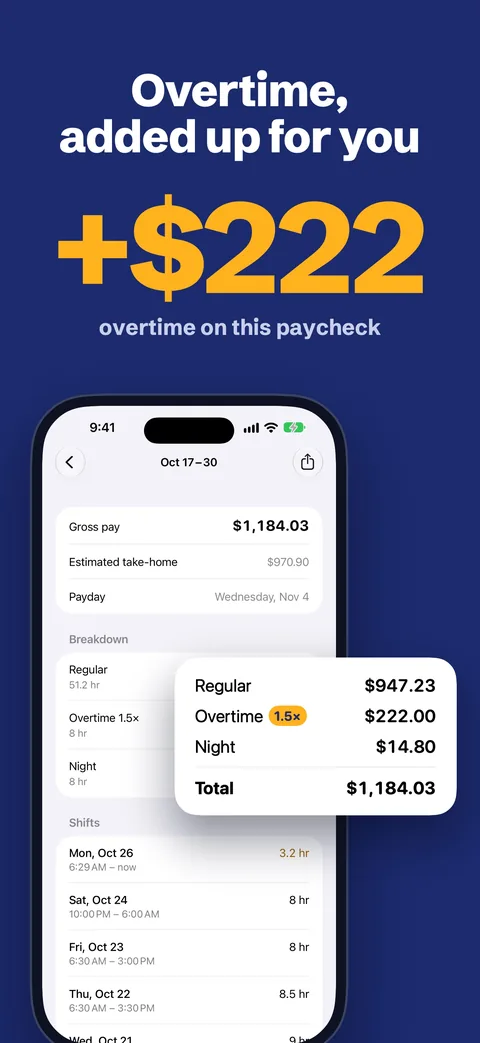
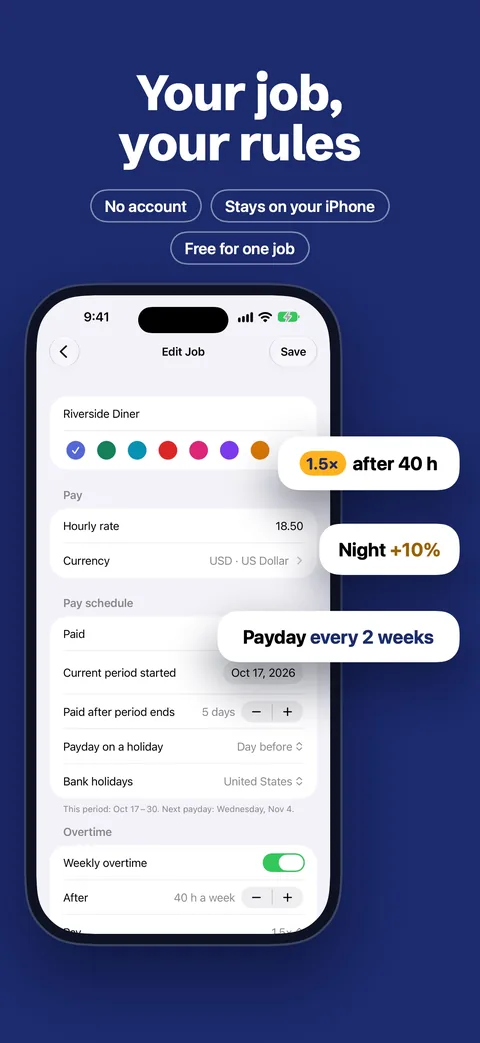
- Overtime the way payroll counts it. Weekly and daily overtime, with the workweek start your employer uses. US jobs follow the FLSA regular rate, so shift differentials raise your overtime rate.
- Pay periods and paydays. Weekly, every two weeks, twice a month or monthly. Paydays move off weekends and US bank holidays.
- No account. Your pay data stays on your iPhone. With Pro, iCloud sync keeps it in your private iCloud account.
Free and Pro
Free for one job, with no time limit: unlimited shifts, daily and weekly overtime, pay periods and paydays. No trial that locks your data.
Hourra Pro adds:
- Unlimited jobs
- Double time, plus night, weekend and holiday premiums
- Take-home pay estimate
- iCloud sync across your devices
- All widgets, including the Lock Screen
- PDF timesheets, CSV exports and invoices
Pro is a yearly or monthly subscription, or a one-time lifetime purchase.
Free calculators
No download needed. They run in your browser.
- Overtime calculator
Time and a half and double time for one workweek.
- Time card calculator
Clock-in and clock-out times to weekly hours and pay.
- Hourly to salary calculator
An hourly wage as yearly, monthly and biweekly pay.
- State overtime rules: Alaska, California, Colorado, Florida, Georgia, Illinois, Kentucky, Minnesota, Nevada, New York, Oregon, Pennsylvania, Texas, Washington
Support
Email hello@furkanbagci.com, or tap Settings → Contact Support in the app.
How do I restore Pro on a new device?
Sign in with the Apple Account you used to buy Pro, then tap Settings → Restore Purchases.
How do I cancel my subscription?
Tap Settings → Manage Subscription in the app, or go to iOS Settings → your name (Apple Account) → Subscriptions. Cancel at least 24 hours before the current period ends. Pro stays active until the end of the period you paid for.
How do I get a refund?
Apple handles all payments and refunds. Request a refund at reportaproblem.apple.com.
Why is my estimate different from my paycheck?
Hourra estimates your pay from the hours and rules you enter. Check the job's pay schedule, overtime, premiums and rounding in Jobs. Your employer's payroll is the official record.
Where is my data stored?
On your iPhone. With Pro, iCloud sync stores it in your private iCloud account and keeps it in sync across your devices. We can't see your data, so we can't recover it for you. Keep your iPhone backed up.
How do I delete my data?
Delete shifts or jobs in the app, or delete the app. If you used iCloud sync, also delete the app's data in iOS Settings → your name (Apple Account) → iCloud → Manage Account Storage.
How do I turn off usage statistics?
Turn off Settings → Share usage statistics. While it's off, the app sends no usage statistics.